Thursday, February 13, 2020

Tuesday, February 11, 2020
Friday, January 17, 2020
Start Building Your Passive Income ~ Samuel F. Campbell

Quit Your Job And Live
A beginners guide to Building a
Location Free Income & Travel
Hacking Your Way Around the World
By Adrian Landsberg
Table of Contents:
Introduction
Chapter 1: Building A Location Free Income
Chapter 2: Saving Money And Living Better On Less
Chapter 3: Travel
Chapter 4: Living A Kick Ass Life
Chapter 5: Your Job
Chapter 6: Self Improvement
Chapter 7: Keeping Fit And Eating Right
Conclusion
Start Building Your Passive Income ~ Samuel F. Campbell
semi-hollowbody guitars


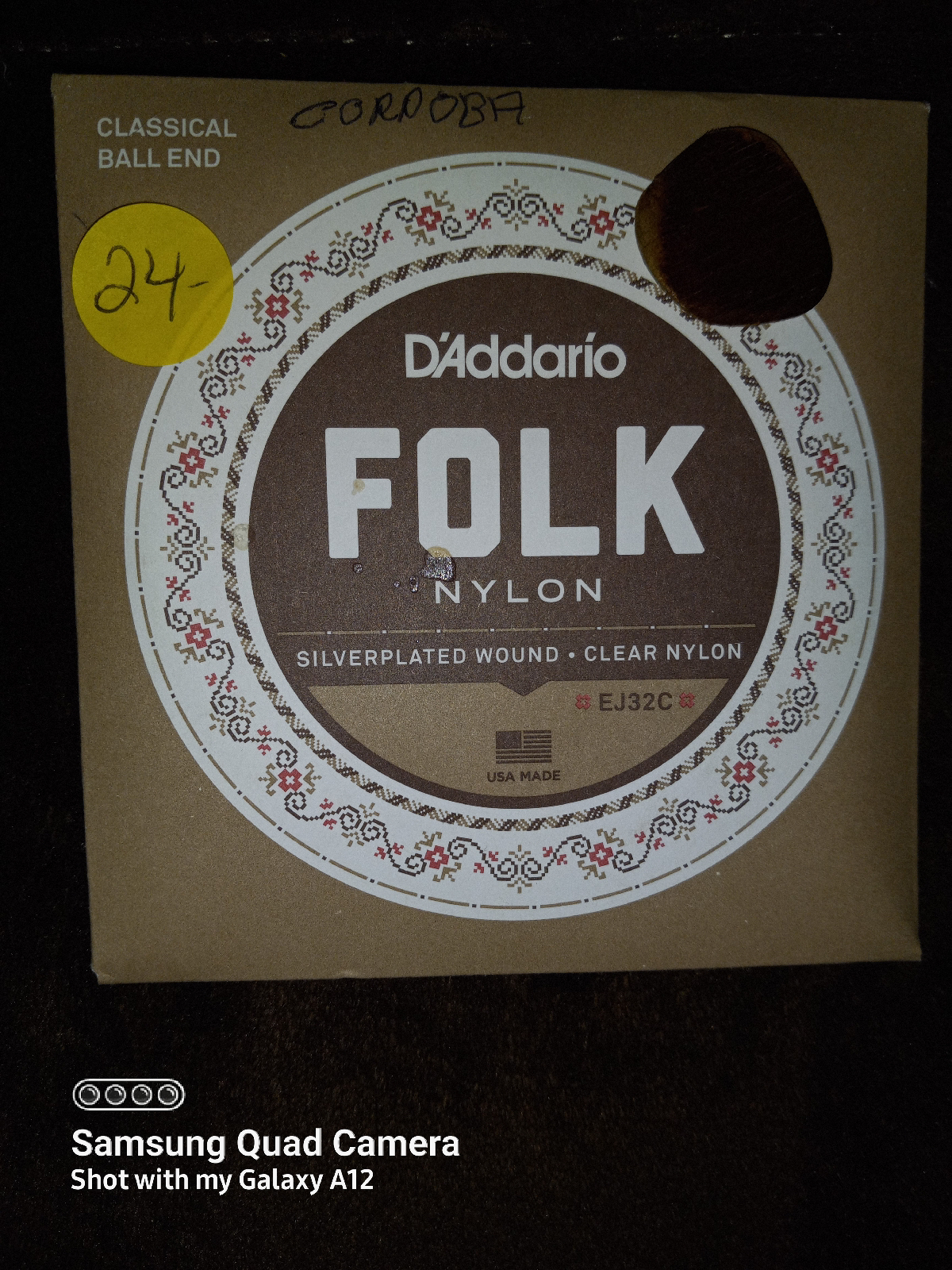
Table of Contents:
Introduction
Chapter 1: Building A Location Free Income
Chapter 2: Saving Money And Living Better On Less
Chapter 3: Travel
Chapter 4: Living A Kick Ass Life
Chapter 5: Your Job
Chapter 6: Self Improvement
Chapter 7: Keeping Fit And Eating Right
Conclusion
Start Building Your Passive Income ~ Samuel F. Campbell
A Web site you can start for around $20.00 - It can take you a longtime to make money, it at all, and you will also have to put a lot of time into it as well.
Property - Obviously real estate is an expensive way to start building your passive income but it can also be the quickest. You will be spending tens or hundreds of thousands. With property you could buy it, have it settle in a month or so, put in a tenant and if you’ve been smart and bought well, you could have ‘X’ amount of weekly cash flow.
To get a loan at a bank - has their set of criteria you will have to meet to qualify for a loan but as long as you meet that then you can start looking.
Property Step 1 -
First you need to set a Passive Income Goal This doesn't have to be a total figure (what you need to survive), it just needs to be your first broken down part of your goal. things easier it's best to break things down into smaller more manageable goals.
We could start with $20.00 a week or $50.00 a week That's up to you, just make sure it’s just far enough out of reach but still a figure that is realistic enough for you to be motivated to reach it
And since we're talking about real estate here your target income will be dictated by how much seed money you have to invest anyway.
Property Step 2 -
How much money do you have? If you have ten thousand dollars in the bank that your willing to invest then there is a good chance you may be able to buy a property.
Obviously the bank has their set of criteria that you will have to qualify for a loan but as long as you meet that then you can start looking. You will just have to start off small, and that's fine because that's where you should be starting.
Budgeting out your costs is very important and make sure you know every cost. When buy9ing property your purchasing costs will be the deposit, solicitor fees, stamp duty , and mortgage insurance and three can be other smaller miscellaneous costs.
Step 3 -
You can buy a property for no more than $100k. They may not be near where you live or be anything to special, but the good thing is it will be a start. Keep your end goal in mind.
So start researching, get on your countries real-estate websites and punch in your criteria. Finding an area, a good area can be half the battle but since you have a budget of $100K that will at least narrow down your options.
Start by searching state by state, and see what towns pop up, if in the one town houses come up very cheap in one area and dearer in another you can find out which areas may be ones to steer clear of.
A good tip is to ring up a property manager in the area and say that you are looking at buying there and you were wondering what areas of town to steer clear of . While you’re talking to them ask about rents, are houses renting easy, what’s the vacancy rate, do units rent better than houses etc.
Depending on how much available money, time and patience you have, will depend on the type of properties you can short list. Do you want to renovate? Are you happy to have a property that’s in average condition so you can get it cheaper? Are you happy to accept a smaller rental return?
Investments are all about numbers, forget about how nice the curtains look or how nice the owner was, you are an investor and you’re doing this to make money. Work out these things:
It’s important to get these costs right, overestimating is a good idea. Add all your costs up. Check the rental prices in the area you are buying and get a fell for where your property would fit in. Have a worst case and best case scenario rent and deduct all your costs from this figure.
Dose it look good? Is there enough left over to meet your minimum profit margin? This may sound like a tedious process but after a while of looking at properties and going through these figures you will be able to tell within 10 seconds whether a house is any good to you.
Step 4 -
Put in an offer! Don’t be scared to put in a low ball offer, you can always come up in price, but you can’t come down. Prosperities that have been on the market for a while are a good target for low offers, as is a one that is in bad condition.
Sometimes the vendor will flat out reject your offer. That’s fine, you can let them wait.
Sometimes I've waited a week before I have counter offered, sometimes they may get back to you before then, just don't look like you're in a rush, you don't want to look too keen. This could go back and forward for a little while, but if it's a house you're very keen on, the numbers add up and you think that the property may be snapped up quickly I advise that you put in a good offer first!
Step 5 -
So your offer has been accepted! Awesome! This is where you start to get your solicitor involved, they will take care of most things for you. I have typically paid around the $1000AU
Sometimes I've waited a week before I have counter offered, sometimes they may get back to you before then, just don't look like you're in a rush, you don't want to look too keen. This could go back and forward for a little while, but if it's a house you're very keen on, the numbers add up and you think that the property may be snapped up quickly I advise that you put in a good offer first!
Step 5 -
So your offer has been accepted! Awesome! This is where you start to get your solicitor involved, they will take care of most things for you. I have typically paid around the $1000AU
 |
| Six String, Nylon, Classical Guitar (Made In Spain) |

 |
| Six String, Nylon, Classical Guitar (Made In Spain) |


https://youtu.be/MY5Iwq6A4gs
Fed Retire
Thursday, February 14, 2019
B.B. King's Sweet Little Angel - Cover ~ Samuel F Campbell
I also enjoying playing the:
IBANEZ PREFORMANCE
(09-20-2022)

Practice Song Chords List: 09-19-2022 Thursday

Practice Song List: 09-20-2022 Friday
1* Three Dog Night - An Old Fashioned Love Song [Gm, F, Eb, D]
2* Tom Jones and Stereophonics - Mama Told Me Not To Come [G, C, D, D, A]
3* Three Dog Night - Mama Told Me Not To Come (1970) [Ab, Db, Eb, E]
4* Three Dog Night - Out In The Country [A, D, Bm7, Dm7]
5* Santana - Evil Ways {Gm7, C7, D7, G7]
1* Mary Jane (All Night Long)
[Fm7, Gm7, C7, Cm7]
2* Mary J Blige - Amazing (feat. DJ Khaled) [Official Video]
[Ebm, Ebm7, Ebm, Ebm7]
3* Mary J Blige - Good Morning Gorgeous [Official Video]
[Ebm7, Db Cm7 F7]
4* Brian Owens - A Change Is Gonna Come
[Bb, Cm, Gm, Bb]
5* Aretha Franklin - Mary, Don't You Weep (Atlantic Records 1972)
[Db7, Gb7, Gb, Db]
6* Aron Neville - Mary Don't You Weep
[G7, C7, G, C ]
7* Trey Songz - [Na Na Official Video]
[Am, Dm, F, D ]
8*Tony Braxton - Yesterday (feat. Trey Songz) [Official Video]
[Dm, Bb, F, C]
9* The Beatles Yesterday
[F, Dm, G, Bb]
10* The Beatles Yesterday
[Cm, A, B, E]
11* The Beatles Yesterday (Remastered 2009)
[Dm, Bb, C, F]
12* The Beatles Yesterday Finger Style (Hardcopy Six String Tablature)
13* Boyz II Men Yesterday (With LYRICS)
[E, B, C#m, G#]
14* Antonio Carlos Jobim - The Girl From Ipanema (Hard Copy - Bass Tablature)
15* Rihanna - Love On The Brain (Explicit)
[G, Am, Em, D]
16* Cadillac Records - I Rather Go Blind
[A, Bm, B, F#m]
17* Angie Stone - No More Rain (In This Cloud) (Official Video)
[Fmaj7, C7, Cm7, F]
18* The Isley Brothers - What Would You Do? (Official Video)
[C#m7, F#M7, C#m7 G#m7]
19* Blues: Maria Daines - That's What The Blues Is All About
[Dm, Am, E, F]
20* Chris Stapleton/Etta James - Tennessee Whiskey/I'd Rather Go Blind
[Cm, Bb, Cm7, Gm]
21* The Isley - Busted ft. JS (Official Video)
[Dm, Am, F]
22* The Isley - Brothers - Shout
[F, Dm, Bb, F]
23* Alicia Keys - A Woman's Worth, Lyrics In Video
[Am7, Bm7, Em, Bm]
24* Alicia Keys feat. Jay-Z - Empire State of Mind Live
[B, F#, C#, A#]
25* Alicia Keys - No One
[E, B, C#m, A]
26* Alicia Keys - Fallin' (Official Music Video)
[Em, Bm7, Em, Bm7]
27* Alicia Keys - You Don't Know My Name (Official Music Video)
[Bm7, C#7, AMaj7, E]
28* Alicia Keys - Try Sleeping With A Broken Heart
[C, F, Bb, Gm]
29* Alicia Keys - Diary - lyrics
[G#m, D#m, C#m, E]
30* Alicia Keys - Diary (Live) ft. Tony! Toni! Tone! Jermaine Paul
[G#m, D#m, E, G#m,]
31* The Doors - Light my Fire
[Am7, Bm7, G#m7, D]
32* Joyful Joyful by The Bells of Sunriver
[F, Bb, F, C]
33* Joyful Joyful We Adore Thee - Official Lyric Video Reawaken Hymns
[G D Em7, Em]
34* Day By Day - NEW GODSPELL
[C, F, G, A]
35* Celine Dion - The Power Of Love Official Video)
[Ab, DbMaj7, Ab, Bbm]
36* Day by Day (From "Godspell")
[FMaj7, G, CMaj7, F]
37* Sister Act 2 (Finale) Lauryn Hill - Joyful joyful With Lyrics (Ft. Whoopi Goldberg)
[C7 F7 Db7, B7]
Saturday, January 26, 2019
Chords - Epiphone Electric Six-string Guitar ~ Samuel F Campbell
Now a days I'm working with:
* The Boss Katanna-50, 50 watts of power and a custom 12-inch speaker. as well as
* The Boss Katanna MK.II 150 watt
* Factory resets for both amps. 
* Boss Support and Info website the amp's driver updates.
* BOSS Tone Studio editor software and configurations delivering the amp’s powerful Tone Setting memories, storing favorite amp channel setups 1Ch-4Ch, and effects combinations, for instant recall while the artist is playing.
* Music Instruments: Taylor Acoustic. Cordoba Made in Spain, Ibenez Performance, Ibenez Artcore, Epiphone Telecaster, 
* Stand Alone/Networked Computer Architectures: MS Windows, Linux Lite, Linux Xfce, Linux Cinnamon, Linux Fedora, Linux Parrot, Linux Ubuntu, Linux 20.3 64bit Xfce.
* Apache 2 Ubuntu Server.
* Coding Basics: Creating strings, adding arguments/multiple arguments, function calls, creating new variables and variables values. Editing and changing variables.
* JavaScript keys used: drawBox ( ), drawBoxes ( ), newLine ( ), pickRandom ( ), print ( ), string ( ),
* Defining JavaScript variables with var also known as an identifier. Declaring the variables value. Create, Accessing, editing and adding values to Arrays, and Using the print function call.
* Termux an emulated Linux terminal and the Linux environment for Android on
○ (LG Stylo-6),
○ (Samsung Galaxy A-12),
○ (Chromebook),
○ (Dell Optiplex 3010),
○ (Dell Precision Mobile Workstation 4500)
○ (Dell Precision Workstation T3400) etc... Having Issues with finding my way configuring compatible paths and work a-rounds for the iPhone's iOS.
* Data Storage/Recovery:
◇ Dell's PowerVault MD1200 and the
◇ PowerEdge...
◇ Micro SDs,
◇ Flash drives,
◇ external hard drives,
◇ Controllers,
◇ SATA Hard storage devices,
◇ Dell Constellation Enterprise SAS 2 k,
◇ Hard Drive Storage Arrays,
◇ Virtual Servers/Servers 
My time keeps slipping into a new day, a new way, and for me a new kind of feeling good.
~ Samuel F Campbell
Desktop Mastering
OVERVIEW:
Author
Rowman and Littlefield
Topics
Mastering
Publisher
Rowman & Littlefield
Description
"Desktop
Mastering" is a comprehensive guide that amalgamates a wide array of
knowledge on audio engineering principles and practical applications.
The book provides a step-by-step survey of an effective mastering
plug-in chain, covering real-world applications, audio fundamentals, and
practical strategies for leveraging emerging social networks in the
business of mastering. With informative chapters on the listening
environment, digital audio concepts, mixing for mastering, the mastering
process, real-world mastering applications, and the fundamentals of
audio and electronics, this guide is an essential tool for those seeking
to enhance their music and their clients' work. With insights into the
business of mastering, this book equips readers with the knowledge to
maximize their work and have their music sparkle as they desire.
Published by Rowman & Littlefield, "Desktop Mastering" offers
valuable expertise for audio enthusiasts and professionals alike.
Complete List:
Author
Rowman and Littlefield
Topics
Mastering
Publisher
Rowman & Littlefield
Desktop Mastering
Preface
1
A Conceptual Overview of Desktop Mastering
Shoulders of Giants—the Path to the Present
The External Mastering Chain
The Desktop Mastering Chain
Desktop Mastering Chain Functional Component Stages
First Stage: Low-End Frequency Control
Second Stage: Noise Reduction
Third Stage: Stereo Enhancement
Fourth Stage (Optional): Reverb
Fifth Stage (Occasional): De-Essing
Sixth Stage: Multiband Compression, Expansion, and Equalization
Seventh Stage: Look-Ahead Limiting, Quantization, Noise Shaping, and Dither
Eighth Stage: Visual Analysis
The Bundle of Functionality
Buggy Whips and Beyond
2
The Listening Environment
Tuning the Ear
The Playback/listening Chain
Noise Colors
The Flattening Procedure
Room EQ
Monitor Speaker Types
Listening Levels
Visual Feedback
The Computer Working Environment
Backups
Software Applications
3
Digital Audio Concepts
Watches and Digital Audio
Sampling
Sample Rate
Spectral Images
Aliasing
What Else Can Go Wrong?
Bit Depth
The Flipbook
Time
Resolution
Choices
4
Mixing for Mastering
Mixing Is Time Domain; Mastering Is Frequency Domain
The Sound Pyramid: Artistic Rules
Three Functional Rules
Should You Include Start and End Fades in Mixing?
Horror Stories
Multiple Versions
Name Your Files Logically
Do Things in the Right Order
File-Name Conventions
Preflight Checklist
Premaster Transport
Yousendit
Dropbox
Soundcloud
5
The Mastering Process
Receiving the Premaster
Prepare for Mastering
The Start Noise
Generate a Default Plug-in Chain for the Project
6
The Desktop Mastering Chain
Get them While they're Young: the Waves Lineq Lowband
DC Offset Explained
Back to Setting the Lineq Low Band
Keep Them Quiet: Noise Reduction
How Noise Reduction Algorithms Work
Noise Reduction Threshold Setting
Tuning the Noiseprint
The Reversal Trick: Reverse Noise Reduction
Special Purposes Fixes
Add a Dimension: the Waves S1 Stereo Imager
Becoming Centered
Mid-Side Processing
Solving Stereo Phase Issues
Shuffling
Leveraging the Chain
Get a Room: Reverb
Stop the Sibilance: the Waves Renaissance Deesser
How to Find Sibilant Frequencies
Balance and Strengthen: the Waves C4 Multiband Parametric Processor
The C4 Frequency Ranges
The Bass Section
The Lower Midrange
The Upper Midrange
The Top Octave
Calibrating Ballistics, Vectors, and Dynamics
Make Everything More: the Waves L3 Ultramaximizer
Quantization, Dither, and Noise Shaping
Quantization
Dither
Noise Shaping
Watch What You're Doing: the Waves Paz Analyzer
Postmastering Processes
Cleanup: Tops and Tails
Tops
Tails
Fading Out Repeating Sections
The Human Lens
Mastered File Management and Delivery
7
Sequencing and Production Master Cds
Sequencing
Track Spacing and the Snap Game
Isrc Codes
A Cd architect 5.0 Cautionary Tale
Sequencing Workflow
8
Real World Mastering Applications
Options and Opportunities
Capture and Master Your Favorite Records and Tapes
Music Programs in High Schools and Colleges
Teen Center Studios
Professional Compilation Albums
Tribute Albums and Burning Sky Records
Greatest Hits and Career Overview Box Sets
Genealogy Transcriptions
Forensics
Companion Cds for Books and Instruction Manuals
Other Record Label Work
Seattle Fireworks Audio
Fireworks Cutdowns
Your Client and Opportunity Bases Are Infinite
9
Mastering as a Business
The Business Bundle of Functionality
Begin Where You Are
Learn to Fail Fast
Generate and Cultivate a Brand
The Business Card
The Business Card Binder
Use Qr Codes (or Their Current Equivalent)
Stay Informed
Starting a Business
Business Insurance
Mileage and Travel
Keep a Lab Notebook
Money
Invoicing
The Client Environment
Client Contact and Recruitment
Client Communications
Marketing Methods
The Four-Foot Forks
The Talent Tarot
Self-Employment
The Social Graph
Use Social Networks as Performance Spaces
Life Streaming
Status Messages
Be Everywhere at Once
Use Social Networks at Their "sharp End"
Comments Are Currency
Planning Ahead and Goal Setting
10
Fundamentals of Audio
The Ocean of Air
Propagation
The Waveform Explained
Units of Measurement: the Decibel (Db)
Everything Is Relative
Characteristics of a Wave
11
An Introduction to Electricity and Electronics
Electricity
Electronic Components
Filters
Crossovers
Signal Processor Families
Amplitude Processors
Frequency Processors
Frequency and Amplitude Processors
EQ Types
Time-Based Processors
Major Components
The Amplifier
Properties of Amplifiers
Types of Amplifiers
12
Conclusion
Multidimensional Vision
Windup
Audio Taxonomy: a Glossary of Subtle Terms
Ultraviolet Studios Discography
Acknowledgments
<em>Desktop Mastering</em> Companion DVD-ROM
The Start Noise
Watching the Videos
The Wave Files
Preface
1
A Conceptual Overview of Desktop Mastering
Shoulders of Giants—the Path to the Present
The External Mastering Chain
The Desktop Mastering Chain
Desktop Mastering Chain Functional Component Stages
First Stage: Low-End Frequency Control
Second Stage: Noise Reduction
Third Stage: Stereo Enhancement
Fourth Stage (Optional): Reverb
Fifth Stage (Occasional): De-Essing
Sixth Stage: Multiband Compression, Expansion, and Equalization
Seventh Stage: Look-Ahead Limiting, Quantization, Noise Shaping, and Dither
Eighth Stage: Visual Analysis
The Bundle of Functionality
Buggy Whips and Beyond
2
The Listening Environment
Tuning the Ear
The Playback/listening Chain
Noise Colors
The Flattening Procedure
Room EQ
Monitor Speaker Types
Listening Levels
Visual Feedback
The Computer Working Environment
Backups
Software Applications
3
Digital Audio Concepts
Watches and Digital Audio
Sampling
Sample Rate
Spectral Images
Aliasing
What Else Can Go Wrong?
Bit Depth
The Flipbook
Time
Resolution
Choices
4
Mixing for Mastering
Mixing Is Time Domain; Mastering Is Frequency Domain
The Sound Pyramid: Artistic Rules
Three Functional Rules
Should You Include Start and End Fades in Mixing?
Horror Stories
Multiple Versions
Name Your Files Logically
Do Things in the Right Order
File-Name Conventions
Preflight Checklist
Premaster Transport
Yousendit
Dropbox
Soundcloud
5
The Mastering Process
Receiving the Premaster
Prepare for Mastering
The Start Noise
Generate a Default Plug-in Chain for the Project
6
The Desktop Mastering Chain
Get them While they're Young: the Waves Lineq Lowband
DC Offset Explained
Back to Setting the Lineq Low Band
Keep Them Quiet: Noise Reduction
How Noise Reduction Algorithms Work
Noise Reduction Threshold Setting
Tuning the Noiseprint
The Reversal Trick: Reverse Noise Reduction
Special Purposes Fixes
Add a Dimension: the Waves S1 Stereo Imager
Becoming Centered
Mid-Side Processing
Solving Stereo Phase Issues
Shuffling
Leveraging the Chain
Get a Room: Reverb
Stop the Sibilance: the Waves Renaissance Deesser
How to Find Sibilant Frequencies
Balance and Strengthen: the Waves C4 Multiband Parametric Processor
The C4 Frequency Ranges
The Bass Section
The Lower Midrange
The Upper Midrange
The Top Octave
Calibrating Ballistics, Vectors, and Dynamics
Make Everything More: the Waves L3 Ultramaximizer
Quantization, Dither, and Noise Shaping
Quantization
Dither
Noise Shaping
Watch What You're Doing: the Waves Paz Analyzer
Postmastering Processes
Cleanup: Tops and Tails
Tops
Tails
Fading Out Repeating Sections
The Human Lens
Mastered File Management and Delivery
7
Sequencing and Production Master Cds
Sequencing
Track Spacing and the Snap Game
Isrc Codes
A Cd architect 5.0 Cautionary Tale
Sequencing Workflow
8
Real World Mastering Applications
Options and Opportunities
Capture and Master Your Favorite Records and Tapes
Music Programs in High Schools and Colleges
Teen Center Studios
Professional Compilation Albums
Tribute Albums and Burning Sky Records
Greatest Hits and Career Overview Box Sets
Genealogy Transcriptions
Forensics
Companion Cds for Books and Instruction Manuals
Other Record Label Work
Seattle Fireworks Audio
Fireworks Cutdowns
Your Client and Opportunity Bases Are Infinite
9
Mastering as a Business
The Business Bundle of Functionality
Begin Where You Are
Learn to Fail Fast
Generate and Cultivate a Brand
The Business Card
The Business Card Binder
Use Qr Codes (or Their Current Equivalent)
Stay Informed
Starting a Business
Business Insurance
Mileage and Travel
Keep a Lab Notebook
Money
Invoicing
The Client Environment
Client Contact and Recruitment
Client Communications
Marketing Methods
The Four-Foot Forks
The Talent Tarot
Self-Employment
The Social Graph
Use Social Networks as Performance Spaces
Life Streaming
Status Messages
Be Everywhere at Once
Use Social Networks at Their "sharp End"
Comments Are Currency
Planning Ahead and Goal Setting
10
Fundamentals of Audio
The Ocean of Air
Propagation
The Waveform Explained
Units of Measurement: the Decibel (Db)
Everything Is Relative
Characteristics of a Wave
11
An Introduction to Electricity and Electronics
Electricity
Electronic Components
Filters
Crossovers
Signal Processor Families
Amplitude Processors
Frequency Processors
Frequency and Amplitude Processors
EQ Types
Time-Based Processors
Major Components
The Amplifier
Properties of Amplifiers
Types of Amplifiers
12
Conclusion
Multidimensional Vision
Windup
Audio Taxonomy: a Glossary of Subtle Terms
Ultraviolet Studios Discography
Acknowledgments
<em>Desktop Mastering</em> Companion DVD-ROM
The Start Noise
Watching the Videos
The Wave Files
Wednesday, January 2, 2019
Thursday, November 9, 2017
Subscribe to:
Posts (Atom)